Cute Baby Photoshoot Prompt Using Google Gemini Model
Create adorable baby photos using Google Gemini. Find simple cute baby photoshoot prompts and tips to inspire beautiful heartwarming baby images.
Get Started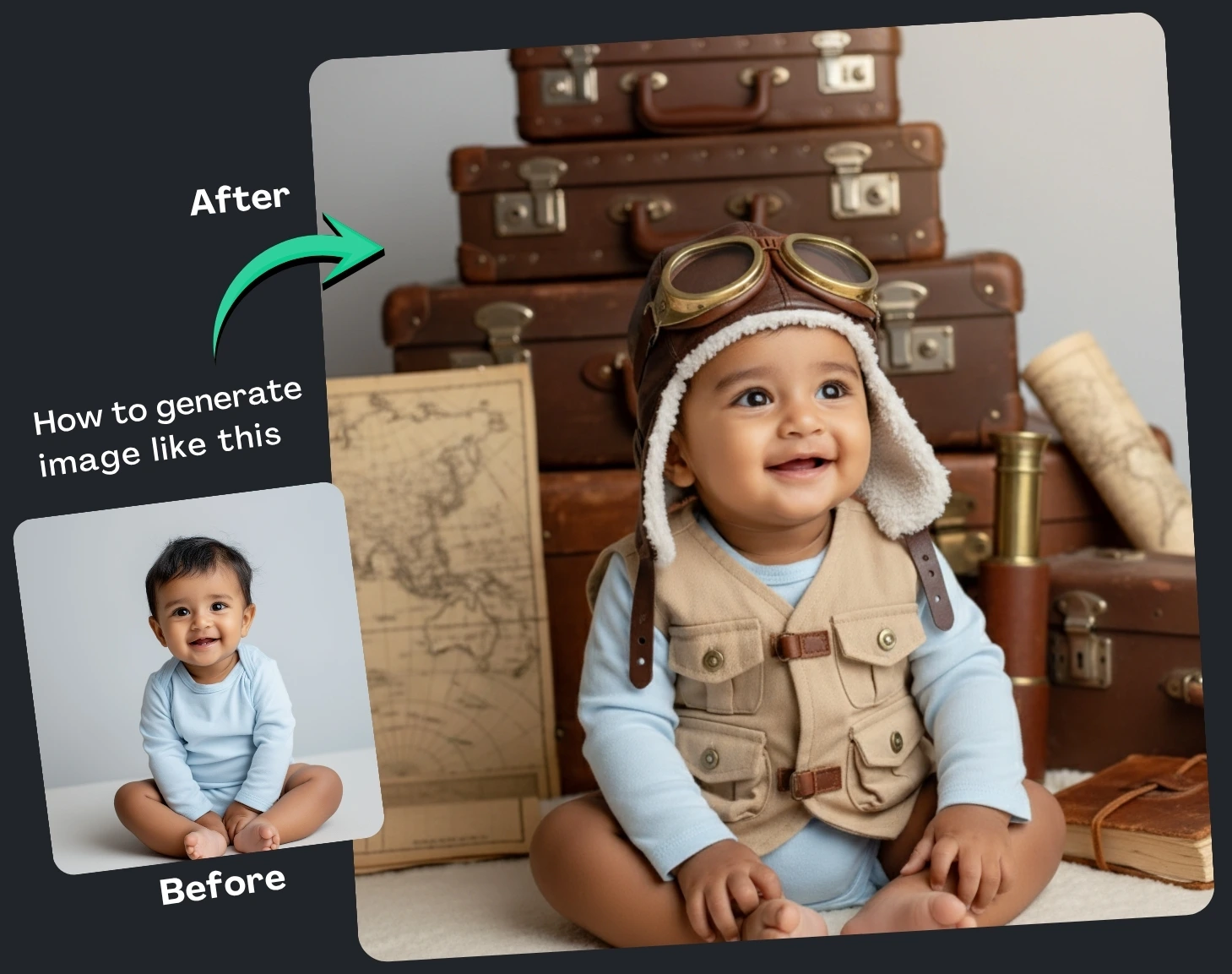


How It Works
Browse Prompts
Explore a wide collection of AI prompts curated by our experts. Find the perfect prompt that matches your vision.
Copy Prompts
Choose from ready-to-use AI prompts. Simply copy them with a click and get started without guesswork.
Create Stunning Design or Art
Paste the prompt into your favorite AI image generator (Midjourney, Google Gemini, ChatGPT Image, Stable Diffusion) and watch your ideas transform.
More Useful Examples for Cute Baby Photoshoot Prompt Using Google Gemini Model
Dreamy Boho Baby Photoshoot in Natural Light
Vintage-Inspired Studio Baby Portrait
Outdoor Golden Hour Baby Photography
Minimalist White Studio Baby Portrait
Cozy Indoor Winter Baby Session
Floral Garden Baby Photoshoot
Luxury Baby Portrait with Velvet Textures
Beachside Baby Photoshoot at Sunset
Whimsical Fairytale Baby Portrait
Classic Black and White Baby Studio Portrait
Rustic Barn-Themed Baby Photoshoot
Urban Lifestyle Baby Portrait
Ethereal Dream Cloud Baby Session
Autumn Forest Baby Photography
Luxury Studio Baby Photoshoot with Soft Pastels
-
Capturing the innocence and charm of a baby through photography is a timeless art. With AI image generators like Google Gemini, parents, creators, and photographers can now craft stunning, photorealistic baby portraits without needing a professional studio. If you're looking to produce heart-melting baby images that feel warm, soft, and editorial-worthy, using a well-structured prompt makes all the difference. In this post, we’ll walk you through how to use the Cute Baby Photoshoot Prompt effectively, explain each placeholder, and help you bring your vision to life.
Why Use a Prompt for Baby Photoshoots?
Using a detailed prompt enhances both consistency and creativity. AI image generators rely heavily on descriptive language to deliver accurate results, and a well-defined structure guides the model toward producing high-quality, realistic imagery. Whether you're designing nursery décor, creating baby-themed content, or simply exploring AI art, a strong prompt ensures clarity, style control, and stunning visual output. It also helps the Google Gemini model understand your artistic direction—from mood to lighting—so your final image looks polished, intentional, and emotionally captivating.
How to Use the Prompt
Each bracketed placeholder allows you to shape the final look and feel of your baby photoshoot image. Here’s what each one means:
[baby’s details]
Describe the baby’s age, clothing, and standout features. For example: “adorable 1-year-old with chubby cheeks wearing a pastel romper.” This creates character and personality in the final portrait.[style]
Choose the artistic direction—minimalist, dreamy, boho, vintage, or luxury. This determines the visual atmosphere and overall aesthetic.[camera/lens style]
Include details like “85mm portrait lens” or “shallow depth of field.” This helps the model replicate professional camera effects such as background blur or crisp focus.[Lighting]
Specify the light mood: soft sunlight, golden hour, or studio lighting. Lighting dramatically impacts tone, warmth, and softness.[Background]
Select a backdrop such as a nursery, pastel studio, or outdoor garden. This sets the scene and supports the emotional theme.[Emotions/Vibe]
Words like joyful, peaceful, or heartwarming help evoke the right emotional energy in the final image.Final Thoughts
A thoughtful prompt is your secret to generating enchanting baby photoshoot images with Google Gemini. By customizing each placeholder, you can create sentimental, high-resolution portraits that feel lovingly crafted. Experiment, refine, and enjoy the process—your next adorable AI masterpiece is just a prompt away.