Turn Phone Product Pics Into Ads Google Gemini Prompt With Builder
Turn phone product pics into high quality ads using Google Gemini prompt builder with studio lighting models and pro compositions
Get Started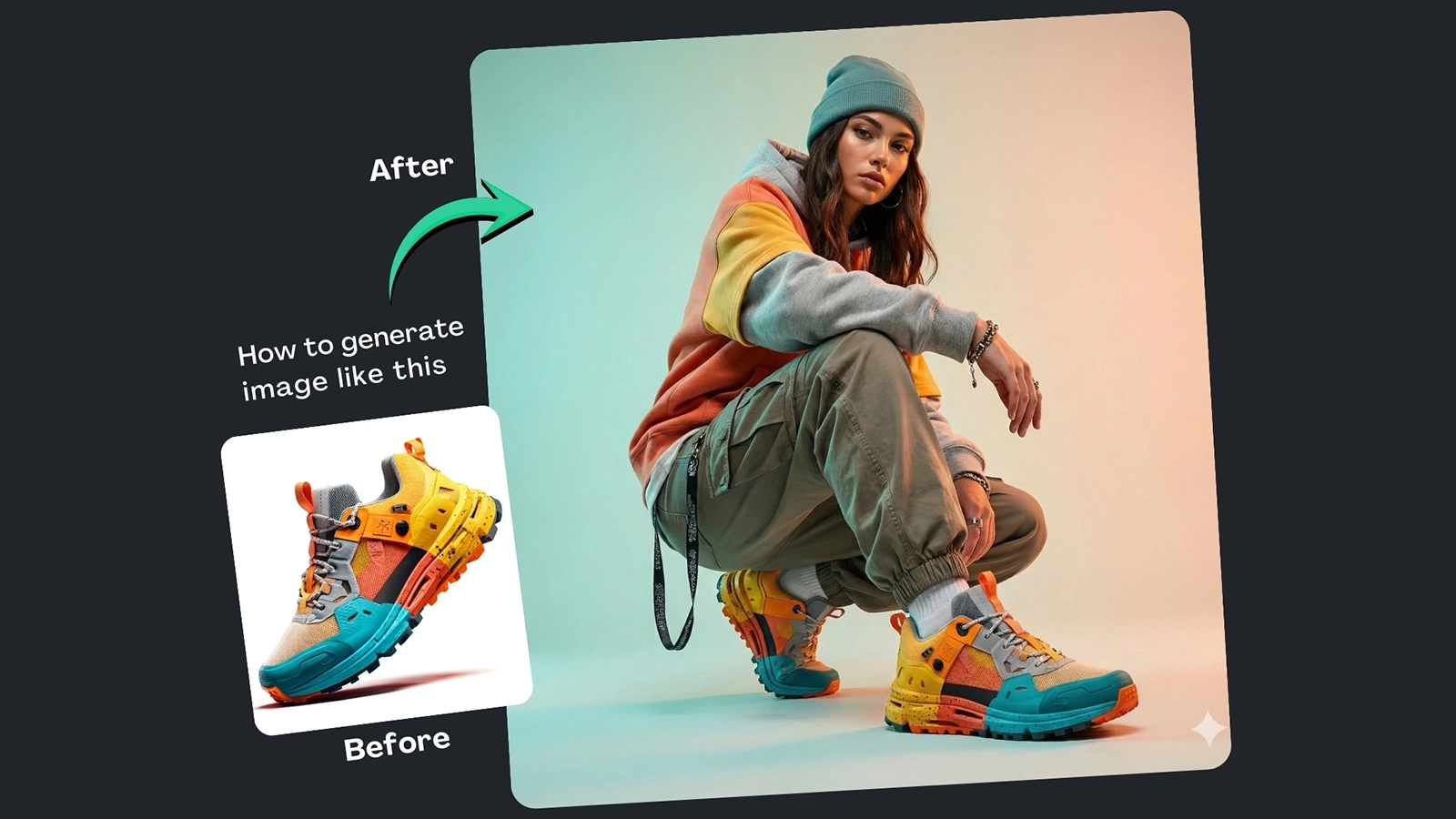


How It Works
Browse Prompts
Explore a wide collection of AI prompts curated by our experts. Find the perfect prompt that matches your vision.
Copy Prompts
Choose from ready-to-use AI prompts. Simply copy them with a click and get started without guesswork.
Create Stunning Design or Art
Paste the prompt into your favorite AI image generator (Midjourney, Google Gemini, ChatGPT Image, Stable Diffusion) and watch your ideas transform.
More Useful Examples for Turn Phone Product Pics Into Ads Google Gemini Prompt With Builder
Turn a Basic Sneaker Photo into Luxury Studio Fashion
Make Your Sneakers Look Like High-Fashion Editorial
Upgrade Sneaker Photos to Minimalist Studio Shots
Transform Sneakers into Streetwear Editorial Visuals
Convert Amateur Sneaker Shots into Luxury Lifestyle Ads
Turn Sneaker Photos into Minimalist Editorial Fashion
Elevate Sneaker Shots to Streetwear Magazine Standard
Make Sneakers Pop with High-Fashion Editorial Lighting
Transform Basic Sneakers into Minimalist Studio Campaign
Turn Amateur Sneaker Photos into Streetwear Advertising
Transform Your Basic Sneakers into Editorial Streetwear Shots
Turn a Simple Watch Photo into High-Fashion Luxury Imagery
Upgrade Your Handbag Photo to Minimalist Studio Elegance
Make a Jacket Photo Look Like a Streetwear Editorial Spread
Elevate a Simple T-Shirt Photo into Luxury Campaign Imagery
-
Smartphones make it easy to snap product photos, but most phone images fall short when it comes to advertising. Poor lighting, cluttered backgrounds, and the absence of models can make even great products look unprofessional. The Turn Phone Product Pics Into Ads Google Gemini Prompt with Builder is built to solve this exact problem—transforming casual phone photos into studio-grade advertising visuals that are ready for catalogs, ecommerce, and social media campaigns.
This is more than a prompt. It also includes a built-in prompt builder, allowing anyone to create polished, commercial-quality imagery using Google Gemini without needing a studio, photographer, or models.
Why Use This Prompt and Prompt Builder
Basic product photos limit sales potential. Customers expect clean, professional visuals that show products in real-world use. This prompt upgrades simple images into fashion-forward, ad-ready photography with realistic models, refined styling, and professional lighting.
The built-in prompt builder removes guesswork by guiding users through each creative decision. Whether you’re a small business owner, marketer, or content creator, you can generate consistent, high-resolution visuals that match your brand identity—quickly and cost-effectively.
How to Use the Prompt (Placeholder Breakdown)
Each placeholder helps shape a professional advertising result:
-
[Product]
Define what’s being featured, such as a t-shirt, jacket, handbag, or smartwatch. This ensures accurate proportions and details. -
[Model Type]
Choose between male, female, androgynous, or mannequin models to match your target audience and brand style. -
[Fashion Style]
Set the styling direction—luxury, streetwear, minimalist, or high-fashion—to align with your campaign goals. -
[Camera Type]
Select DSLR or medium format to influence image sharpness, depth, and overall realism. -
[Lighting Style]
Lighting defines mood. Options like softbox studio lighting, dramatic rim light, or natural window light create different visual impacts. -
[Background]
Keep the focus clean and commercial with seamless white, pastel gradients, or an urban studio setting.
Final Thoughts
If your phone product photos aren’t ad-ready, this Google Gemini prompt with a built-in builder is a powerful solution. It turns everyday images into professional, editorial-style ads that build trust and boost conversions. Share this strategy with fellow creators—and come back for more ways to elevate your visuals with AI-driven creativity.
-