Top Google Gemini prompt to Convert Text to Charts and Diagrams
Learn how to use Google Gemini prompts to turn any text into charts and diagrams and streamline data visualization for blogs reports and presentations
Get Started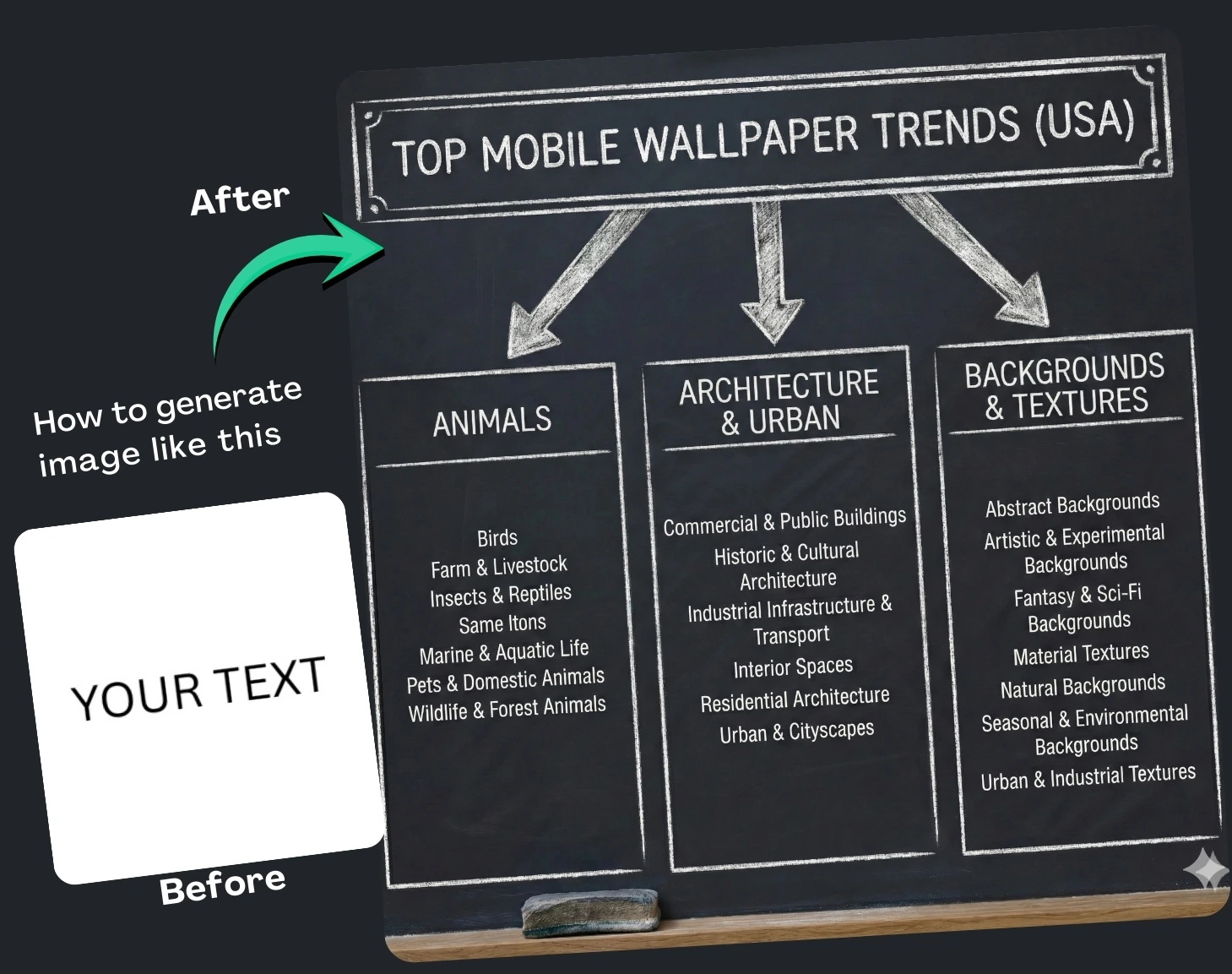
(10) Best Prompt Examples with AI Images

 Google Gemini
 Google Gemini
 Google Gemini
 Google Gemini
 Google Gemini
 Google Gemini
 Google Gemini
 Google Gemini
 Google Gemini

How It Works
Browse Prompts
Explore a wide collection of AI prompts curated by our experts. Find the perfect prompt that matches your vision.
Copy Prompts
Choose from ready-to-use AI prompts. Simply copy them with a click and get started without guesswork.
Create Stunning Design or Art
Paste the prompt into your favorite AI image generator (Midjourney, Google Gemini, ChatGPT Image, Stable Diffusion) and watch your ideas transform.
More Useful Examples for Top Google Gemini prompt to Convert Text to Charts and Diagrams
Visualizing Business Strategy Blueprint
Creative Learning Sketchnote Guide
Product Lifecycle Illustration
Data Relationship Insights Chart
Workflow Optimization Graphic
Problem-Solving Framework Map
Customer Journey Visualization
Technical Architecture Snapshot
Team Structure Organizational Map
Decision-Making Roadmap
Market Segmentation Visual Guide
Software Flow Representation
Strategic Planning Overview
Knowledge Structure Breakdown
System Interaction Visualization
-
In a world where attention spans are shorter and information is overloaded, transforming dense text into clean, engaging visuals is no longer optional—it’s essential. Visuals like flowcharts, timelines, and sketch-style illustrations help audiences grasp ideas faster, making your content more shareable and memorable. One of the smartest ways to create these visuals is by using a well-crafted Google Gemini prompt designed specifically for converting text into charts and diagrams.
Why Use a Prompt to Generate Diagrams?
Using an optimized prompt saves time, eliminates guesswork, and ensures higher-quality results. Instead of manually designing visuals or sifting through complicated tools, Gemini can turn your written content into clean, branded illustrations in seconds.
This process is ideal for bloggers, marketers, teachers, and creators who want to:
-
Simplify complex information
-
Improve audience retention
-
Add visual appeal to articles, presentations, and social posts
-
Maintain consistent style across all visuals
SEO-wise, diagrams increase dwell time, boost social sharing, and enhance overall content value—three powerful signals search engines love.
How to Use the Prompt Effectively
The prompt includes customizable placeholders that let you control the style and structure of the visual Gemini generates. Here’s how each one works:
[Style]
This placeholder defines the artistic look of your diagram. Options like hand-drawn, sketchnote, blueprint, or ballpoint pen on napkin help set the visual tone. Choose a style that matches your brand—professional, playful, technical, or creative.[Diagram Type]
This is where you choose the format that best presents your information. A Venn diagram works well for comparisons, a flowchart for processes, a timeline for historical overviews, and so on. Selecting the right structure ensures your message is clear and intuitive.…
This is the heart of the prompt. Paste the content you want visualized inside the text tags. Be concise and organized—bullet points, steps, or short paragraphs give Gemini the clarity it needs to produce accurate diagrams.Final Thoughts
Using a strategic prompt for Google Gemini dramatically streamlines the process of converting text into visually compelling diagrams. Whether you're creating educational content, blog posts, or marketing materials, the right prompt helps you communicate ideas more effectively while elevating your brand’s visual identity. Try integrating these AI-generated visuals into your workflow—you’ll boost engagement, improve readability, and keep your audience coming back for more.
-