Google Gemini Prompt to Transform Notes Into Learning Cheatsheets
Discover the Google Gemini prompt that turns notes into organized learning cheatsheets and enhances productivity for students and professionals
Get Started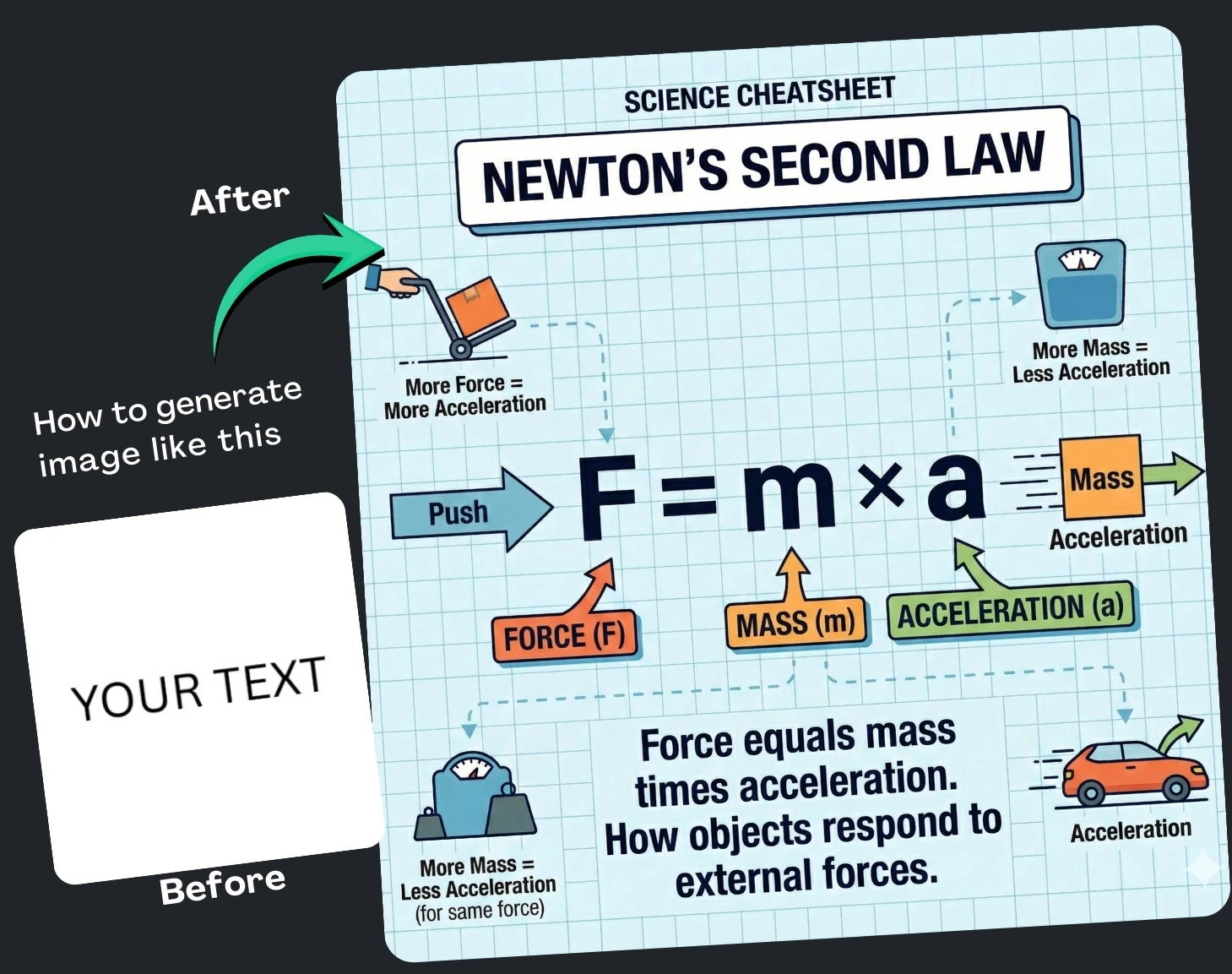
(12) Best Prompt Examples with AI Images

 Google Gemini
 Google Gemini
 Google Gemini
 Google Gemini
 Google Gemini
 Google Gemini
 Google Gemini
 Google Gemini
 Google Gemini
 Google Gemini
 Google Gemini

How It Works
Browse Prompts
Explore a wide collection of AI prompts curated by our experts. Find the perfect prompt that matches your vision.
Copy Prompts
Choose from ready-to-use AI prompts. Simply copy them with a click and get started without guesswork.
Create Stunning Design or Art
Paste the prompt into your favorite AI image generator (Midjourney, Google Gemini, ChatGPT Image, Stable Diffusion) and watch your ideas transform.
More Useful Examples for Google Gemini Prompt to Transform Notes Into Learning Cheatsheets
Algebra Quick-Reference Cheatsheet Generator
English Grammar Rules Visual Guide
Daily Study Planner Layout Template
Physics Principles Illustrated Summary
History Timeline Learning Sheet
Chemistry Reactions Study Map
Exam Revision Mind Map Creator
Vocabulary Building Visual Organizer
Biology Systems Illustrated Card
Note-Taking Method Reference Sheet
Study Workflow Diagram for Students
Literature Analysis Framework Sheet
Geography Concepts Illustrated Page
Problem-Solving Strategy Cheatsheet
Study Motivation Workflow Visual
-
Creating clear, engaging study resources can be time-consuming—especially when you’re working from messy notes or dense reference material. That’s where AI-powered prompts come in. With the right structure, you can instantly transform raw text into polished, visually appealing learning aids. Today’s post explores a powerful Google Gemini prompt designed to convert any block of text into a custom educational cheatsheet. Whether you’re a student, educator, or productivity enthusiast, this prompt can streamline your workflow and elevate your learning experience.
Why Use This Prompt
This Gemini prompt is intentionally crafted to simplify information and present it in a visual format, making study sessions more effective. Visual cheatsheets help you:
-
Retain information faster through diagrams and structured layouts
-
Turn disorganized notes into clean, usable study tools
-
Customize outputs for different subjects, styles, and formats
-
Save time on design while still producing high-quality learning assets
With learners constantly seeking quicker, smarter ways to study, this prompt offers a practical, SEO-friendly solution for creating digital learning visuals.
How to Use the Prompt
Below is a breakdown of the placeholders used in the prompt so you can tailor each part to your needs:
-
[Diagram Type]
This is where you define the style and purpose of the image you want Gemini to generate. Examples include math formula cheatsheet, study planner bullet journal page, science concept diagram, or exam revision mind map. Choosing the right diagram type helps Gemini understand the structure and tone of the visual you expect. -
[PAST TEXT HERE]
Insert the text you want transformed—this can be class notes, lecture summaries, book excerpts, or brainstorming lists. The clearer your input, the more precise and helpful the visual output will be.
Once the placeholders are filled in, Gemini interprets your content and produces an image that visually summarizes the key concepts. This makes your learning materials not only more attractive but also easier to comprehend at a glance.
Final Thoughts
Transforming your notes into visually engaging cheatsheets no longer requires advanced design skills. With this Google Gemini prompt, you can quickly generate organized, impactful study visuals that support better learning and retention. Try it with your next set of notes—you’ll be surprised how much more productive your study sessions become.
-