Exploded Product Features Google Gemini Prompt With Builder
Discover how exploded product feature visuals using Google Gemini prompt with builder solve complex product explanations with one powerful AI image
Get Started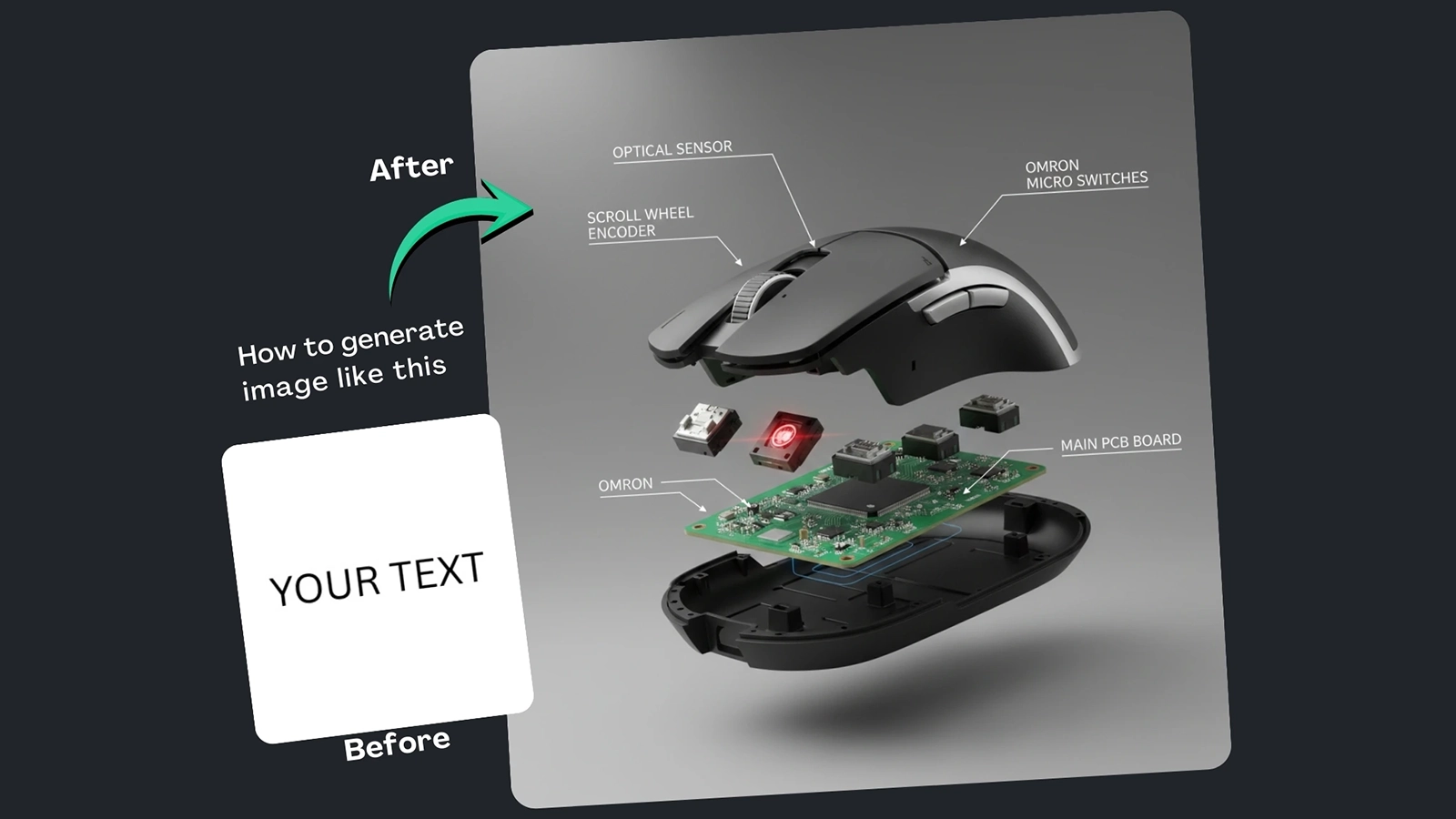
(9) Best Prompt Examples with AI Images


How It Works
Browse Prompts
Explore a wide collection of AI prompts curated by our experts. Find the perfect prompt that matches your vision.
Copy Prompts
Choose from ready-to-use AI prompts. Simply copy them with a click and get started without guesswork.
Create Stunning Design or Art
Paste the prompt into your favorite AI image generator (Midjourney, Google Gemini, ChatGPT Image, Stable Diffusion) and watch your ideas transform.
More Useful Examples for Exploded Product Features Google Gemini Prompt With Builder
Exploded Smartwatch Sensor Design Visual
Mechanical Keyboard Switch Anatomy Image
Smartphone Camera Module Exploded View
Gaming Mouse Internal Component Breakdown
Electric Toothbrush Motor Feature Visual
Laptop Cooling System Exploded Diagram
Smart Speaker Acoustic Chamber Visualization
Drone Gimbal Camera Exploded Assembly
Smart Ring Sensor Technology Breakdown
Portable Power Bank Internal Design Visual
Exploded Smart Glasses Hardware Visualization
Electric Scooter Battery System Breakdown
DSLR Camera Body Internal Layout Visual
Wireless Charging Pad Coil Anatomy Image
Smart Thermostat Sensor Exploded Diagram
-
Explaining complex product features in a single image has always been a challenge for marketers, designers, and product teams. When a product’s true value lies inside its components, engineering, and technology flat visuals often fall short. This is where AI-enhanced exploded-view visuals come in. Using the Exploded Product Features Google Gemini Prompt With Builder, creators can generate ultra-detailed visuals that clearly communicate how a product works, all in one compelling image. More than just a prompt, this solution also includes a built-in prompt builder, making advanced visual creation accessible even to non-technical users.
Why Use This Prompt and Prompt BuilderThe biggest problem in product storytelling is clarity. Showing internal components usually requires multiple images, diagrams, or videos. This prompt solves that by leveraging Google Gemini’s image generation capabilities to create cutaway or exploded-view visuals that are both realistic and informative.
The built-in prompt builder takes this a step further. Instead of manually tweaking text and risking inconsistent results, users can easily customize styles, products, and visual techniques through guided placeholders. This saves time, improves consistency, and ensures SEO-ready, marketing-grade visuals for landing pages, blog posts, ads, and explainer graphics.
How to Use the Prompt (Placeholder Breakdown)Each placeholder is designed to give you full creative control:
-
[style] – Defines the visual look. A hybrid photorealistic and technical illustration style blends realism with clarity, making internal components easy to understand.
-
[product] – Specifies what you’re visualizing, such as wireless earbuds, smartwatches, or hardware devices. This keeps the image focused on your exact use case.
-
[visual technique] – Determines how the internals are shown. An exploded view separates components cleanly, making each part visually distinct.
-
[internal features] – Highlights key components you want to explain, such as batteries, chips, sensors, or drivers. This is crucial for feature-focused marketing.
With the prompt builder, adjusting these elements is fast and intuitive, allowing endless variations without rewriting everything from scratch.
Final ThoughtsThe Exploded Product Features Google Gemini Prompt With Builder is not just a creative shortcut it’s a powerful visual communication tool. By combining AI-generated exploded views with a flexible prompt builder, it solves the problem of explaining complex product features in a single image. If you want clearer storytelling, higher engagement, and more professional visuals, this approach is a smart addition to your content and marketing workflow.
-